Updated 30 Oct 2026
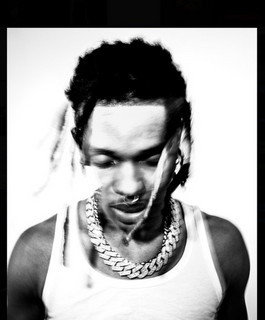
SoFaygo is the bright, uplifting side of rage, some call it Rage & B: dreamy melodies that sit between singing and rapping over filtered synths, heavy 808s and even 8-bit, game-like pings. Signed to Travis Scott's Cactus Jack and often set next to Playboi Carti and Lil Uzi Vert, his beats feel fast and happy, not dark. A SoFaygo type beat is really one glassy synth lead with a catchy figure, layered with a second synth, over an 808 that bounces with the melody. The fastest grip for the hook: build a seventh chord, then pull one note out of it and the whole thing reads on brand right away. The rest of this guide walks that from the first chord to the mix.
You do not need a finished beat to start. The SoFaygo loops sit in step 1 and again at the bottom, ready to play.
Most beats run 140 to 155 BPM, with 154 being a go-to in the tutorials and plenty of cuts sitting lower around 143 to 148. Easiest move is to pull up a SoFaygo song you like and match its tempo, that is how most producers pick it. The energy stays bright and fast, not heavy.
The key is minor, C sharp minor, B minor and E minor come up most, and E minor in particular is a common starting point. The melodies still read uplifting, not sad. That tension between a minor key and a happy mood is the whole trick, so lean on minor nine chords and keep the top line singing.
The loops in step 1 stream right here and the mp3 is free. Then work through the six steps.
The single move every SoFaygo tutorial leans on: build a normal seventh chord, which already sounds nice, then pull one note out of it. That gap is what reads as SoFaygo instead of generic melodic trap. Minor nine chords are the other common starting point, copy and paste them across the bar and shift notes until the top line sings.
Give the progression breathing room. Leave short pauses where the chords stop and single notes carry, and drag the final chord out a little bigger so the loop feels like it is building toward a reset. Listening to just the bass notes is a quick way to check whether a chord change lands before you commit to it.
Once the loop is done, export it on its own. Producers flip these and send the original loop out to collaborators, so having a clean stem of just the melody is worth the extra click.
The lead is a bright, glassy synth with a catchy, uplifting figure, that bright melody is the SoFaygo signature. A touch of saturation from something like Thermal and a bit of RC-20 for character gives it life, then cut the low end and a few harsh high frequencies so it stays glassy and does not pierce.
Stack a second synth on the exact same top notes to thicken the hook, and add a support synth with a slow attack that fades in late so it fills behind the lead without stepping on it. An Electra X or Serum ARP, or even a flute, works well as a counter melody with some reverb or delay.
The 808 is the root notes chopped for bounce, with a little drive, not full distortion. Keep some punch and clarity so it moves with the melody.
Drums stay bright: a two-step hat with a few hits cut out, a clap on two and four, a kick that follows the 808 but slips off its spots for bounce. Add an 8-bit ping or pluck for colour, but never darken the mood, this is the happy side of rage.
The position of the loop is not fixed. A few semitones change its whole character, and changing the octave is also a good way to keep your ears fresh when ideas stall.
Pitch up and the synth gets lighter and glassier, pitch down and it gets fuller and darker. A common move is to slow the tempo a little, then stretch the loop back onto the grid and pitch it up an octave. The key moves with it, so pull the 808 to the new root afterwards.
A dark, heavy mix. SoFaygo is bright and uplifting, keep the synth glassy and cut the harsh highs, not the air.
An 808 crushed into full distortion. Here it bounces, chop the root notes and keep some punch and clarity.
Overbuilt drums. Busy rolls fight the melody. A two-step with a few cuts and some velocity movement carries the bounce on its own.
A melody that does not stick. The bright hook is everything, use the seventh-chord trick and make it hum-able.
Every loop here is played by hand, no AI, and free as an mp3. Load one, pick the note out of the chord if you want it even more on brand, and build the drums under it.
Pick a loop and drag it into your DAW. 808 under it, clap on top, your first SoFaygo beat is running.
All SoFaygo loopsTempo, key and mood of the SoFaygo loops, straight from our catalog.
| Loop | BPM | Key | Vibe |
|---|---|---|---|
| Burst the Bubble | 140 | F#min | Happy, Virtual, Ambient |
| Explosion | 140 | Bmin | Ambient, Sad, Virtual |
| Headstart | 140 | Amin | Ambient, Happy, Virtual |
| Bellish | 140 | G#min | Ambient, Virtual |
| Freeze | 140 | D#min | Ambient, Sad, Virtual |
| Big Stash | 140 | Bmaj | Ambient, Hyper, Virtual |
| Bordeaux | 150 | Happy, Hyper, Virtual | |
| Fly to the Sky | 143 | Ambient, Happy, Virtual | |
| Focused | 140 | Gmin | Ambient, Happy, Virtual, Hyper |
| Jealous | 140 | C#min | Ambient, Virtual |
140 to 155 BPM, 154 is a common value and plenty of cuts sit around 143 to 148. Match a song you like.
Minor, most often C sharp minor, B minor or E minor, but it feels uplifting rather than sad.
Build a seventh chord, then pull one note out of it. That gap is what makes the melody read on brand instead of generic melodic trap. Minor nine chords are the other common start.
A bright glassy synth lead for the hook, a second synth doubling the top to thicken it, a slow-attack support synth, under it a chopped bouncy 808, a two-step hat, a clap and a kick, plus an 8-bit ping for colour.
Take the root notes of your chords and chop them up, keep a bit of drive but not full distortion, and let the kick slip off the 808's spots instead of doubling them.
Yes. A few semitones or an octave change the mood and the key, then move the 808 to the new root.
Yes, every loop is a free mp3. Not royalty-free: a commercial release means a 50/50 split with NDA Company.
They are not royalty-free. Free in your own beats; a 50/50 publishing split with NDA Company applies to every commercial release. License Terms
About NDA · All Artists & Genres · Free Loop Kits · Guides · Free Type Beat Loops · Loops by BPM & key · Splice Alternative
Nothing that fits?
All SoFaygo loops